
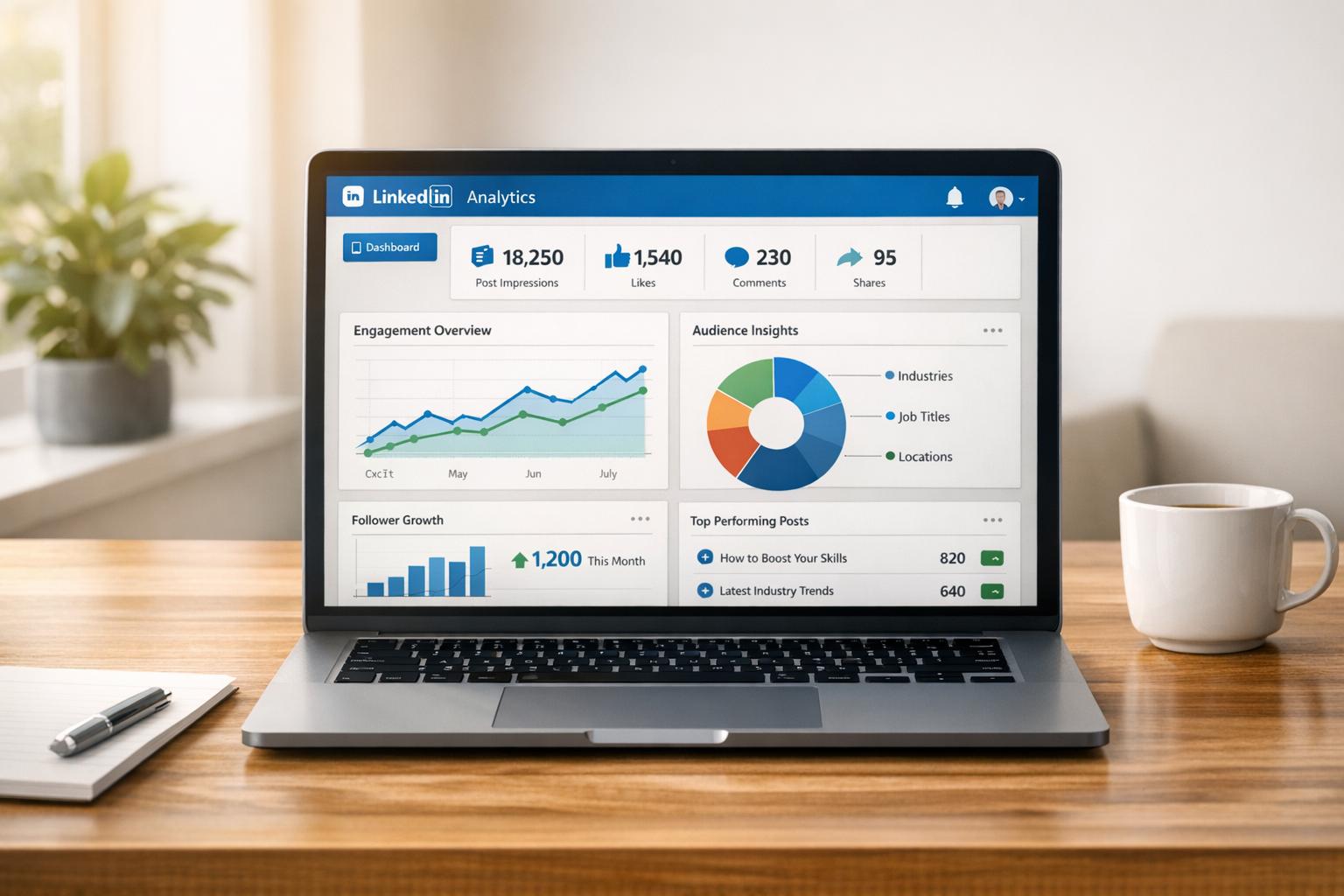
Posting on LinkedIn without measuring performance is like driving without a map. To make your efforts count, you need to focus on the right metrics. Here’s what matters most:
- Engagement Rate: Measures how much users interact with your content. A rate above 5% is strong.
- Click-Through Rate (CTR): Tracks how effectively your content drives action. A good CTR is 2–4%.
- Impressions vs. Reach: Impressions show how often your content appears, while reach focuses on unique viewers.
- Lead Generation Metrics: Includes Lead Form Completion Rate (10–15%) and Cost Per Lead ($30–$80).
- Follower Growth: Reflects audience-building success. Aim for 2–5% monthly growth.
The key? Align these metrics with your goals. For awareness, track impressions and follower growth. For leads, focus on CTR and CPL. Use LinkedIn Analytics or tools like Closely to monitor and refine your strategy.
Master LinkedIn Analytics, generate more leads & increase your Company Page relevance – FREE guide
Core LinkedIn Metrics You Should Track

LinkedIn Content Performance Metrics Benchmarks and Goals
Keeping an eye on the right metrics is essential for making smart decisions about your LinkedIn strategy. Below, we’ll break down five key metrics you should focus on to measure your content’s performance and how to use them effectively.
Engagement Rate
Engagement rate tells you how much people are interacting with your content. It’s calculated as:
(Total reactions + comments + shares + clicks) ÷ impressions × 100 [5][7].
"Engagement metrics are the primary indicator that people are actually consuming and interacting with your content and ads." – Steve Kearns, AI & Marketing Leader [8]
On average, LinkedIn posts see a 5% engagement rate [7]. Rates above 5% are considered strong, while anything between 2–5% is typical. However, account size matters: smaller accounts (under 5,000 followers) often see rates between 1.0–2.5%, while larger accounts (over 50,000 followers) tend to range from 0.5–1.5% [1].
A high engagement rate signals to LinkedIn’s algorithm that your post is worth showing to more people, even outside your follower base.
How to increase engagement: Use high-quality images (e.g., 1200 x 627 pixels), ask engaging questions, and encourage your team to interact with posts early. Fun fact: 30% of a LinkedIn Page’s engagement often comes from employees, who are 14x more likely to share company content [8].
Click-Through Rate (CTR)
CTR measures how well your content drives action. It’s calculated by dividing the number of clicks by impressions, then multiplying by 100 [7]. A good LinkedIn CTR typically falls between 2–4%.
This metric helps you evaluate whether your headlines, hooks, and calls-to-action (CTAs) are effective. If people aren’t clicking, it might be time to tweak your messaging or CTAs. CTR is especially important for posts meant to drive traffic to external pages, such as blogs or lead magnets.
Tips for improving CTR: Place links earlier in the post rather than at the end, use custom link previews with eye-catching visuals, and experiment with different CTAs to see what resonates best [7].
Impressions and Reach
Impressions track how many times your post appears on someone’s screen – even if the same person sees it multiple times [9][11]. Reach, on the other hand, measures the number of unique individuals who see your content [9][11].
"LinkedIn impressions are the first step to realistically knowing and understanding your influence and impact on this platform." – Ivana Todorović [11]
Impressions reflect your content’s visibility, while reach shows how many unique people you’re connecting with. For example, if you have 5,000 followers, aim for 500–1,000 impressions per post (10–20% of your follower count) [11]. Typically, reach is around 69% of your impression count, so a post with 16,363 impressions might reach about 11,303 unique viewers [11].
If you notice high impressions but low reach, it might mean the same audience sees your content repeatedly. While this can help with brand recall, it could also signal a need to diversify your topics or adjust your timing to attract new viewers [11].
Lead Generation Metrics
For connecting LinkedIn activity to business outcomes, focus on Lead Form Completion Rate and Cost Per Lead (CPL).
- Lead form completion rate: This measures the percentage of users who fill out your lead form after clicking your ad. Rates between 10–15% are typical [7]. Using LinkedIn’s native Lead Gen forms (which auto-fill user details) can help boost these rates by reducing friction compared to external landing pages [7].
- Cost Per Lead (CPL): This tells you how much you’re spending to generate leads. On LinkedIn, CPL usually ranges from $30 to $80, depending on the industry [7].
These metrics are critical for determining the return on investment (ROI) of your campaigns and identifying areas for optimization.
Follower Growth
Follower growth reflects your brand’s authority and how well you’re building an audience over time. While it might not drive immediate action like engagement or CTR, steady growth shows that your content is hitting the mark.
A healthy monthly growth rate for established accounts is 2–5% [7]. For example, with 10,000 followers, a 3% monthly growth rate would add about 3,600 new followers over the year.
Ways to accelerate growth: Posting consistently (at least weekly) can double your engagement [8]. Video content performs especially well, generating 5x more engagement than other formats, while LinkedIn Live drives 24x more engagement than standard video [8]. Multi-image posts also perform well, averaging a 6.60% engagement rate, followed by native documents (6.10%) and videos (5.60%) [7].
| Metric | Good Performance Benchmark | Primary Goal Alignment |
|---|---|---|
| Engagement Rate | >5% (Average: 2–5%) | Consideration |
| Click-Through Rate (CTR) | 2–4% | Consideration |
| Follower Growth Rate | 2–5% monthly | Awareness |
| Lead Form Completion | 10–15% | Conversion |
| Cost Per Lead (CPL) | $30–$80 | Conversion |
"If you’re trying to build brand awareness, then engagement, engagement rate, and followers are important. If you’re changing to improve brand sentiment, then looking at comments and tags is the winner." – Kate Meyers Emery [7]
The key is aligning your metrics with your goals. If you’re focused on brand awareness, prioritize impressions, reach, and follower growth. For lead generation, CTR, form completion rates, and CPL are more relevant. Most professionals benefit from tracking all five metrics, adjusting their focus based on current objectives.
How Different Content Formats Perform
LinkedIn content comes in various formats, each offering unique ways to engage your audience. While some formats clearly stand out in terms of performance, the best choice ultimately depends on your goals and audience preferences. Below, we break down how different formats perform and what makes them effective.
Native Video
Video is a powerful tool on LinkedIn, though it doesn’t always top the charts. Native video posts boast an average engagement rate of 5.60% [7], slightly behind multi-image posts (6.60%) and native documents (6.10%) [7]. That said, video still packs a punch: standard video posts drive 5x more engagement, while LinkedIn Live videos achieve a staggering 24x engagement boost [12].
"Video posts get 5x as much engagement on LinkedIn as conventional posts, and Live Video posts get 24x more engagement." – Tequia Burt, Ex-Editor in Chief @ LinkedIn [12]
To maximize video performance, focus on mobile optimization. With 91% of LinkedIn members watching videos on mobile and 66% viewing without sound, add subtitles and stick to square or vertical formats [7][12]. Keep videos short – under 30 seconds for awareness and under 2 minutes for more detailed messaging. While LinkedIn counts a "view" after just 2 seconds [7][6], completion rates (ideally 30–40%, with top performers hitting 50–60%) weigh heavily in the algorithm [7][12].
The first 5–10 seconds are critical for grabbing attention. Use an engaging thumbnail and front-load your most compelling message or visual to stop the scroll [12].
Next, let’s dive into image and carousel posts, which excel at visual storytelling.
Image and Carousel Posts
Image-based formats are another standout on LinkedIn, particularly multi-image posts, which lead with an average engagement rate of 6.60% – the highest across all formats [7]. These posts are ideal for visually communicating step-by-step guides or telling a story, all while keeping users engaged on LinkedIn.
Single-image posts follow with a 4.85% engagement rate [13]. While slightly lower, they’re still effective for quick tips, branded visuals, and bite-sized insights. Plus, image posts generate twice as many comments as text-only posts, making them a great choice for sparking interaction [12].
Native documents (or carousels) land in the middle with a 6.10% engagement rate [7]. These are particularly effective for educational content, frameworks, or lead magnets, allowing you to share detailed information in a swipeable format without users leaving the platform.
For both image and carousel posts, monitor your Save Rate – calculated as saves divided by impressions, multiplied by 100 [1]. A higher save rate indicates that your content is practical and worth revisiting. For accounts with fewer than 5,000 followers, a good save rate falls between 0.1% and 0.4% [1].
Text-Only Posts
While text-only posts average a 4.00% engagement rate [13], they serve a unique purpose. These are perfect for sharing professional insights or sparking thoughtful discussions [13][4]. If your goal is to position yourself as a thought leader or dive into nuanced industry topics, text posts often outperform more visually-driven formats in terms of meaningful engagement.
The strength of text posts lies in their ability to generate qualified engagement [13][4]. A single thoughtful comment from a decision-maker can outweigh dozens of likes on a video. This format encourages deeper conversations and allows your authentic voice to shine without the need for high production value.
"If you’re trying to build brand awareness, then engagement, engagement rate, and followers are important. If you’re changing to improve brand sentiment, then looking at comments and tags is the winner." – Kate Meyers Emery, Senior Digital Strategist [7]
To get the most out of text posts, lean into storytelling and share personal, professional experiences [4]. Respond to comments within 2–4 hours to encourage active discussions and signal engagement to LinkedIn’s algorithm [13]. Keep an eye on metrics like "Search Appearances" and "Profile Views" to ensure your posts are reaching the right audience [4].
Ultimately, your choice of format should align with your goals and what resonates with your audience. Testing a mix of formats across at least 30 posts can help you identify trends and refine your strategy [13]. The most effective LinkedIn plans incorporate multiple formats, each serving a specific role in the broader content strategy.
Working with LinkedIn’s Algorithm
To make the most of LinkedIn, it’s essential to understand how its algorithm works. This isn’t just about posting content – it’s about ensuring your posts are seen by the right people. LinkedIn uses a three-step process to decide what appears in users’ feeds: filtering content for quality (to weed out spam), testing engagement with a small group of followers during the critical "golden hour", and ranking posts based on relevance to the user’s network [14]. This approach keeps content professional and targeted, avoiding random viral trends [14][15].
"LinkedIn is not designed for virality. It’s about sharing knowledge and updates with people who care about that information." – LinkedIn [14]
The algorithm evaluates content using three main factors: Identity (your profile details like skills and location), Content (its relevance, how long users engage with it, and your authority on the topic), and Member Activity (interactions and followed hashtags) [14][15]. Essentially, LinkedIn matches your posts with users’ professional interests.
Relevance
LinkedIn prioritizes "relevance over recency," meaning your post can stay visible for weeks if it remains valuable to professionals [14]. Initially, your content is shown to your followers. If it performs well, LinkedIn expands its reach to users outside your network who share similar interests [15].
To boost your relevance, focus on a specific professional niche instead of posting about everything. This builds "topic authority" over time [14][15]. Use 3–5 relevant hashtags to categorize your posts effectively – using too many or irrelevant ones can hurt your content’s quality score [14]. Dive into LinkedIn Analytics to understand your audience’s job roles, industries, and seniority levels, and tailor your content to resonate with them [16][17].
Another tip: avoid placing external links directly in your post. Instead, put them in the comments. LinkedIn favors native content like text, videos, and carousels because they keep users on the platform [14][15].
While relevance is key, the level and type of engagement your content generates also play a big role.
Engagement Quality
Not all interactions are equal in LinkedIn’s eyes. Meaningful engagement – like detailed comments or thoughtful shares – carries more weight than simple likes or reactions [15][4]. For example, a well-thought-out comment from someone in your industry is far more valuable than dozens of generic responses like "Great post!"
| Metric | Algorithm Signal Strength | Why it Matters |
|---|---|---|
| In-depth Comments | High | Indicates meaningful conversations and expertise |
| Shares/Reposts | High | Extends reach and shows utility |
| Saves | Medium/High | Reflects lasting value and usefulness |
| Likes/Reactions | Low/Medium | Signals basic interest but lacks depth |
| Impressions | Low | Shows reach but doesn’t guarantee engagement |
Another factor is dwell time – how long users spend on your post. The longer they engage, the higher the content is rated for quality [14]. This is why creating posts that provide real value, spark debate, or ask specific questions is so effective. These strategies encourage detailed comments and foster professional discussions [15][4].
It’s worth noting that LinkedIn discourages "engagement bait" tactics, like asking users to comment "YES" or similar gimmicks. Instead, the platform rewards posts that promote genuine, thoughtful dialogue [14].
With relevance and engagement covered, the next step is to optimize how often – and when – you post.
Posting Frequency and Timing
When it comes to posting, consistency beats quantity. Companies that post at least once a week see twice the engagement as those that post less often [8][17]. However, posting too frequently can hurt your reach. Avoid posting more than once within a 12-hour window to prevent your posts from competing with each other [14][2].
Timing is also critical. The first hour after you post – the "golden hour" – is when LinkedIn tests your content with a small group of followers [14]. Strong engagement during this period leads to broader distribution. To take advantage of this, encourage your team or colleagues to engage with your post early.
For the best results, aim to post during midweek mornings (Tuesday through Thursday, 8–10 AM) when professional activity tends to peak [16]. That said, your audience might have its own habits. Use LinkedIn Analytics to track when your followers are most active and adjust your posting schedule accordingly [16][17]. And don’t forget – make sure your content is mobile-friendly, as many users access LinkedIn on their phones [2].
sbb-itb-8725941
Tools for Tracking LinkedIn Performance
Keeping tabs on LinkedIn metrics doesn’t have to be overwhelming. The right tools can turn raw data into actionable insights, helping you refine your strategy and improve outreach.
LinkedIn Analytics
LinkedIn Analytics is your go-to for understanding how your content performs. It tracks essential metrics like impressions, clicks, reactions, comments, and shares, giving you a clearer picture of what resonates with your audience. With Content Analytics, you can analyze both organic and sponsored posts, helping you determine whether formats like videos or carousels are driving better engagement [5][6][3][10].
Visitor Analytics dives into page views, unique visitors, and audience demographics such as job roles, industries, and seniority levels [3][10]. Meanwhile, Follower Analytics separates growth into organic and sponsored categories, offering insight into how your audience is growing [3][10]. For a competitive edge, Competitor Analytics lets you compare your follower growth and engagement metrics with up to nine other brands, helping you identify opportunities in the market [18][10].
"Data is one of the most valuable resources a B2B marketer has. It is the key to uncovering insights into how well your campaigns – and your company – are performing." – Alexandra Rynne, Content Strategy Lead @ LinkedIn Ads [10]
Set aside 15 minutes every Friday to sort your posts by engagement and save rates. This quick review can help you pinpoint what’s working and where there’s room to improve [1]. To connect your social activity with lead generation and sales, use UTM parameters on all LinkedIn post links and track them in your CRM [3]. Also, check out the "Search Appearances" section to see what keywords people are using to find your page, then tweak your profile to align with those terms [18].
For a more streamlined approach, consider using specialized platforms to centralize your performance data.
Performance Tracking with Closely

If you’re looking for more than what LinkedIn’s native tools offer, Closely provides an integrated solution to simplify your tracking efforts. This platform allows you to monitor multiple LinkedIn accounts, track outreach across both LinkedIn and email, and measure the impact of AI-powered personalization on response rates. Its advanced analytics and reporting features highlight which campaigns generate the most engagement, enabling you to fine-tune your messaging and targeting. Plus, with lead scoring and campaign performance tracking, you can identify the outreach efforts that deliver tangible results and make adjustments in real time.
Using Third-Party Tools
For those who need even more robust analytics, third-party tools can extend the capabilities of LinkedIn Analytics and platforms like Closely. These tools provide unified dashboards that consolidate data from multiple profiles, automate competitive analysis, and retain historical data, making it easier to repurpose top-performing posts. Additionally, they often include custom report builders, perfect for creating presentations tailored to stakeholders [3][20][19].
Setting Goals and Benchmarks
Metrics without context are just numbers – they don’t tell you whether you’re making progress or just spinning your wheels. That’s where benchmarks come in. They help you figure out if your LinkedIn performance is driving results or just creating noise.
Industry Benchmarks Explained
What qualifies as "good performance" depends on factors like your industry, account size, and the type of content you’re posting. For example, an engagement rate of 2.5% might be disappointing for a tech startup but could be 25% higher than average for a finance company [13]. Generally, engagement rates vary by sector:
- Technology and professional services: 3% to 8%
- Manufacturing and finance: 1% to 4% [13]
Content type also plays a big role. Multi-image posts lead the pack with a 6.60% engagement rate, followed by native documents at 5.85% and videos at 5.60% [13]. Text-only posts tend to hover around 4.00% [13]. Notably, video content is gaining traction, with LinkedIn reporting a 73% increase in video impressions and a 52% rise in video views [13].
Creating Your Baseline
Once you’ve reviewed industry benchmarks, it’s time to establish your own baseline. Look at your LinkedIn performance over the past 6 to 12 months, analyzing at least 30 posts before making any big changes. This will help you understand what’s normal for your brand [3][13]. As LinkedInBuddy wisely advises:
"Use these [benchmarks] for perspective only – your baseline matters more than industry averages" [1].
To calculate your average engagement rate, use this formula:
(Reactions + Comments + Reposts + Saves) ÷ Impressions × 100 [1].
For deeper insights, group your metrics by content type – like thought leadership, product updates, or industry insights – to see how each aligns with your business goals [13].
Setting Measurable Goals
With a clear baseline in place, you can create specific, measurable goals. Tie these goals to different stages of the marketing funnel. For example:
- Brand awareness: Focus on impressions, reach, and follower growth.
- Consideration: Track clicks, click-through rates (CTR), reactions, comments, and shares.
- Lead generation: Measure conversion rates, cost per lead, and form completions [3][21].
Set realistic targets based on where you are now. If your current engagement rate is 1.2%, aiming for 1.5% in the next quarter is a practical goal compared to shooting for 5%. Focus on testing one variable at a time, and reassess after four weeks [1].
Also, keep an eye on lead signals like direct messages (DMs) and demo requests within a week of posting. These can help you connect your content directly to business outcomes [1].
"If you can’t explain how a post helped the business in one sentence, your analytics are noise" [1].
To stay on top of performance, dedicate 15 minutes every Friday to sorting your posts by engagement and save rates. Pinpoint your weakest post and choose one thing to improve for the following week. This simple habit helps you focus on trends rather than isolated results, enabling smarter, data-driven decisions that actually move the needle [1].
Conclusion
To wrap things up, aligning your metrics with clear objectives is the cornerstone of effective LinkedIn performance tracking. It’s not just about gathering data – it’s about using that data to make smart decisions that lead to real results. The metrics that truly count are the ones tied directly to your goals: engagement rate and save rate for nurturing a community, click-through rate for generating leads, and impressions for building brand visibility. Without this alignment, you could end up focusing on numbers that don’t actually make an impact.
The type of content you post also plays a big role in your success. Multi-image posts, native documents, and videos each have their own advantages, but even the best format can’t save a weak strategy. The real key? Consistently creating high-quality content that encourages meaningful engagement.
On the tools side, platforms like Closely can streamline your campaigns, help track results, and even personalize outreach. Pair these tools with LinkedIn’s native analytics and UTM tracking, and you can directly link your posts to outcomes like increased website traffic, demo requests, or closed deals. This kind of integrated approach ensures that your efforts are always tied back to business goals.
Finally, don’t get too hung up on industry averages – your own baseline is far more important. Take the time to review your last 30 posts, calculate your engagement rate, and set realistic benchmarks. A quick, weekly 15-minute review to analyze your top-performing posts can go a long way toward driving consistent growth.
FAQs
What are the best ways to boost engagement on my LinkedIn posts?
To get more people engaging with your LinkedIn posts, focus on crafting content that connects with your audience and invites interaction. Use LinkedIn’s analytics tools to monitor key metrics like comments, shares, likes, and clicks. This data will give you insights into what kind of content performs the best. Set clear engagement goals and try out different post styles – think polls, videos, or even thought-provoking questions – to encourage discussions.
Posting consistently is a must. Share content regularly, especially during times when your audience is most likely to be online. Don’t just post and leave – respond to comments on your posts and engage with others by commenting on their content. Over time, this back-and-forth will help you spot trends, tweak your approach, and improve how people interact with your posts.
How can I effectively track the performance of my LinkedIn content using LinkedIn Analytics?
To keep tabs on how your LinkedIn content is performing, start by diving into post-level analytics available on your profile or Page. Pay attention to key metrics like impressions, engagements (including reactions, comments, and shares), and audience impact (such as profile views and new followers). These numbers give you a clear picture of how well your content connects with your audience.
Head over to your Posts & Activity feed, choose the type of content you want to analyze – whether it’s posts, videos, or articles – and open the analytics panel for detailed insights on individual pieces. Make it a habit to track trends over time by exporting your data and spotting patterns. This approach allows you to tweak your strategy, extend your reach, and drive better engagement using informed, data-backed decisions.
How can I align my LinkedIn metrics with my business goals?
To make LinkedIn metrics work for your business goals, start by pinpointing the key performance indicators (KPIs) that align with what you want to achieve. For brand awareness, focus on metrics like impressions and audience reach to gauge how visible you are. If you’re aiming for lead generation or sales growth, keep an eye on profile views, new followers, and link clicks that drive traffic to your landing pages. For goals like thought leadership or recruitment, track reactions, comments, shares, and audience demographics to ensure you’re connecting with the right people.
Once you’ve nailed down your KPIs, take advantage of LinkedIn’s analytics tools to collect data and establish a starting point. For instance, monitor impressions or engagement rates and set clear, realistic targets – like boosting leads by 15% or generating $5,000 in monthly revenue from LinkedIn traffic. Keep a close watch on your analytics, fine-tune your content strategy, and make adjustments as needed to ensure your LinkedIn efforts are directly tied to your business objectives.