
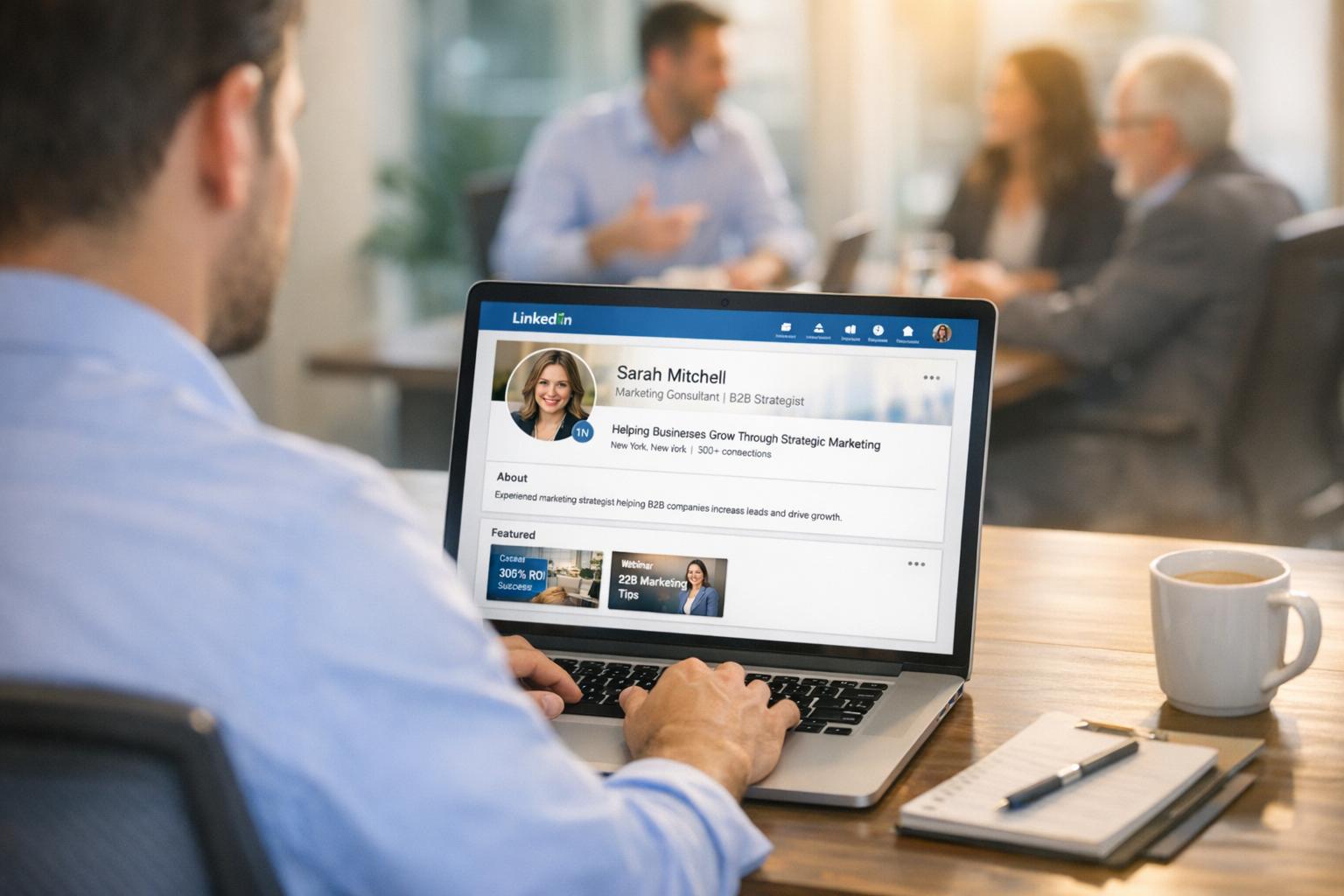
LinkedIn is a powerful platform for turning profile views into scheduled meetings, but success requires a structured approach. Here’s the process in simple terms:
- Optimize Your Profile: Treat it like a landing page. Use a clear, value-driven headline, professional visuals, and a strong About section with a call to action.
- Craft Personalized Outreach: Avoid generic messages. Research prospects, mention common interests, and keep connection requests under 300 characters.
- Leverage Lead Magnets: Use the Featured section to offer useful resources like templates or reports in exchange for contact details.
- Use Automation Wisely: Tools like Closely help scale your efforts securely while keeping interactions personal. Automate tasks like connection requests, follow-ups, and email outreach.
- Track Performance: Monitor metrics like connection acceptance rates, reply rates, and meeting bookings to refine your strategy.
- Run Multichannel Campaigns: Combine LinkedIn and email outreach for better results. Start with LinkedIn, then follow up via email.

LinkedIn Conversion Optimization: 6-Step Process from Profile Views to Meetings
Build a LinkedIn Profile That Converts Viewers
Your LinkedIn profile has just seconds to make an impression before someone decides whether to connect. Every element should work together to achieve one goal: turning casual viewers into engaged connections who want to learn more about you.
Think of your profile as a dynamic landing page, not just a static resume. It should answer three key questions: Who are you? What value do you bring? And what’s the next step for someone interested in connecting? When all elements align, your profile becomes a round-the-clock tool for building meaningful connections.
Strengthen Your Profile’s Core Elements
Your headline is one of the first things people see, so make it count. Instead of a generic title like "VP of Sales at Company X", use it to highlight the problem you solve or the results you deliver. For example: "Helping SaaS companies book more qualified demos through AI-powered outreach." This immediately communicates value and sets you apart.
Your profile photo and banner image also play a big role in establishing credibility. Use a professional headshot with good lighting, and pair it with a banner that reinforces your message or value proposition.
In the About section, focus on building trust. Write in the first person, directly address your audience’s challenges, and include a clear call to action. Whether it’s downloading a resource, scheduling a call, or simply connecting, make it easy for viewers to take the next step. Completing all sections of your profile can also improve your Social Selling Index (SSI) score, boosting your visibility on LinkedIn [4].
These foundational updates create a strong starting point for turning profile views into meaningful leads.
Use Lead Magnets in Your Featured Section
The Featured section is prime real estate on your profile – perfect for showcasing lead magnets. Instead of waiting for viewers to reach out, offer them something valuable upfront. This could be a checklist, a template, a research report, or a case study that addresses a common pain point in your industry.
Lead magnets serve two key purposes: they attract prospects genuinely interested in your expertise, and they turn passive viewers into active leads by offering valuable content in exchange for contact details. When someone downloads your resource, they’re signaling a need you can address, which helps build trust and positions you as a knowledgeable authority.
Pin 3–4 resources that demonstrate your expertise, and rotate them to see what resonates most with your audience. The key is to provide content that’s genuinely helpful – not thinly disguised sales pitches.
Once your profile is optimized and packed with valuable resources, the next step is tracking its performance to refine your strategy.
Monitor Performance with Closely

Tracking key metrics is essential to improving your profile’s effectiveness. Tools like Closely let you measure metrics that matter – such as profile views, connection acceptance rates, and message reply rates [4]. These insights reveal whether your profile is successfully converting visitors into connections.
For LinkedIn outreach, a connection acceptance rate of 20–40% is considered strong [4], while personalized message reply rates typically range from 15–30% [4]. Regularly reviewing these numbers helps you identify trends and pinpoint what’s working.
Closely’s CRM integration makes it easy to log your LinkedIn activity, messages, and lead status automatically [1][4]. This ensures nothing falls through the cracks and helps you determine which profile elements drive the most engagement. You can also see which lead magnets generate the most downloads. Use this data to double down on strategies that work and tweak the ones that don’t. To keep your account in good standing, start with a daily limit of 20–30 connection requests [1].
Write Personalized Connection Requests and Messages
Once your profile is polished and professional, the next step is crafting personalized outreach messages. A generic connection request often gets ignored, but a thoughtfully written one can open doors. The key? Show genuine interest in the prospect’s world rather than jumping straight into a sales pitch.
You’ve got just 300 characters to make an impression with your connection request [6]. That means every word matters. The most effective messages follow a simple formula: mention how you found them or what you have in common, explain why you want to connect, and keep the tone conversational. Resist the urge to pitch your product or service right away – LinkedIn is about building relationships, not making cold sales [5][6].
Here’s a telling statistic: 82% of top-performing sales professionals research their prospects before reaching out [2]. This step is crucial. Look for shared connections, LinkedIn groups, recent posts they’ve interacted with, or notable career milestones. For example, if they’ve been promoted recently, congratulate them. If they’ve commented on an industry leader’s post, reference that specific conversation. These small touches show you’ve put in the effort and aren’t just sending out mass messages.
Let’s break down how to craft connection requests that leave a lasting impression.
Create Connection Requests That Get Accepted
Start by ensuring your profile is complete and professional – it’s your first impression. Then, shift the focus of your message from "I" to "you." For instance, instead of saying, "I’d love to show you our product", try something like, "I saw your recent post about scaling outbound efforts – great insights on personalization." This makes your message feel more genuine and tailored [6].
Keep it concise. Research shows that InMail messages with 400 characters or fewer get a 22% higher response rate than longer ones [2]. Mention a recent action they’ve taken, such as liking a post, to establish relevance. These specific details grab attention and demonstrate you’re paying attention. End your message with a clear but low-pressure call to action, like, "I’d love to follow your work on sales automation", instead of a vague "Let’s connect."
A/B Test Your Outreach Messages
Once you’ve refined your connection requests, it’s time to test and optimize them. A/B testing allows you to see what resonates most with your audience. Adjust one element at a time – such as the opening line, call to action, or personalization details – so you can pinpoint what’s driving results [1]. Tools like Closely’s analytics can help track metrics like acceptance rates, response rates, and the number of messages leading to meetings [1][4].
Start by experimenting with your opening lines. Compare approaches like starting with the prospect’s name versus referencing a mutual connection or a recent post. Next, test different calls to action: asking a thoughtful question versus offering a helpful resource. Messages that provide value – like sharing a guide or template – can generate 60% more replies than direct asks [7]. Personalized messages that include one or two specific details see 2.5 times more replies than generic templates [7].
Run each test for about two weeks to gather meaningful data. For example, messages that mention mutual connections tend to see a 40% higher response rate, while referencing shared LinkedIn groups boosts responses by 21% [7][8]. Use these insights to refine your strategy and focus on what works best.
Automate LinkedIn and Email Outreach with Closely
Once your messaging strategy is solid, the next hurdle is scaling your outreach efforts. Manually sending connection requests and follow-ups can quickly become overwhelming for large campaigns. This is where automation steps in – not to replace the human element but to enhance it. Automation helps you reach more people while keeping your interactions personal, ultimately turning views into meetings.
Closely takes care of repetitive tasks while ensuring your outreach feels genuine and secure. The platform automates actions like profile visits, connection requests, follow-up messages, and even post likes – all seamlessly handled in the cloud [9]. You don’t need to leave your computer running or worry about LinkedIn flagging your activity. Closely employs dedicated residential proxies for each LinkedIn account, simulating natural browsing behavior to maintain security [9]. On average, teams using Closely save 15 hours per week on manual tasks and achieve 52% higher engagement on LinkedIn [9].
What sets Closely apart is its ability to integrate LinkedIn and email into a single workflow. You can pull leads directly from LinkedIn Search, Sales Navigator, posts, or groups, and then build automated sequences that combine LinkedIn actions with email outreach [9][10]. For example, you might begin with a profile visit, send a connection request two days later, follow up with a LinkedIn message, and switch to email if there’s no response. This multichannel strategy increases your visibility without overwhelming prospects. Users report a 35% boost in response rates and 45% more pipeline opportunities with these combined workflows [10].
Set Up Closely for Automated Outreach
To get started, connect your LinkedIn account to Closely. From there, the platform’s cloud-based system takes over, running your campaigns continuously without needing your device online [9]. For new accounts or those that haven’t been active recently, Closely offers a "Warm-up mode" that gradually increases activity. This step is crucial to avoid triggering LinkedIn’s spam filters, so make sure to enable it when launching campaigns [9].
Next, gather your target leads. Closely allows you to extract prospects from LinkedIn Search, Sales Navigator, Recruiter, specific posts, groups, or even upload a CSV file with your own list [9]. Once your leads are ready, you can create multi-step workflows that include actions like profile visits, connection requests, follow-up messages, post likes, and email outreach [9]. The platform’s smart safety limits and delays replicate human behavior, ensuring your activity looks natural to LinkedIn’s algorithms [9][10].
Closely also consolidates all interactions – direct messages, InMails, and email replies – into a unified inbox, so you never miss a response. Plus, it syncs with CRMs like HubSpot, Salesforce, and Pipedrive, automatically updating lead activity to keep your pipeline organized and up-to-date [10].
Use AI-Powered Personalization
Building on your earlier messaging strategies, Closely’s AI-powered tools ensure every interaction feels tailored. The platform’s AI Sales Agents analyze each lead’s profile and website to craft personalized messages [9][10]. Instead of sending out generic templates, the AI customizes messages based on details like the prospect’s industry, recent activity, or company news.
For instance, if you’re reaching out to a VP of Sales at a SaaS company, the AI might mention a recent funding announcement or a blog post they authored. These small, thoughtful touches show you’ve done your research and aren’t just sending mass messages. The result? Three times more connections with qualified decision-makers and significantly higher reply rates [9].
You can also use Closely’s analytics to A/B test different message variations. Experiment with opening lines, calls to action, or personalization details to see what resonates best [10]. Keep in mind that InMail messages under 400 characters tend to get a 22% higher response rate, so focus on keeping your copy concise and impactful [2].
Compare Closely Plans
Closely offers four pricing tiers to suit various outreach needs. The Growth plan, priced at $127/month, is a great choice for small teams looking to scale. It supports three LinkedIn accounts, unlimited email accounts, and includes 3,000 credits per month – enough for 750 verified emails, 150 phone numbers, or 1,500 AI-generated personalizations [9][10].
| Plan | Price | LinkedIn Accounts | Credits/Month | Best For |
|---|---|---|---|---|
| Starter | $49/mo | 1 | 1,000 | Solo users testing automation |
| Growth | $127/mo | 3 | 3,000 | Small teams scaling outreach |
| Essential | $205/mo | 5 | 5,000 | Mid-sized teams with higher volume |
| Custom | $350/mo | 10 | Custom | Large teams needing flexibility |
All plans include whitelabel options, CRM integrations, and 24/7 support. Pairing Closely with LinkedIn Sales Navigator (starting at $79.99/month) unlocks advanced filtering options and delivers even better ROI [2]. Current promotions include 20% off all plans with code BLACKFRIDAY20 or 15% off with code XMAS15 [9][10].
"Closely is a powerful tool for anyone looking to enhance their sales engagement. The platform is user-friendly and easy to navigate, making it accessible even for those who are not tech-savvy." – Antonio D., Digital Strategist & Coach [9][10]
Next, learn how to combine these automated tools into effective multichannel campaigns.
sbb-itb-8725941
Run Multichannel Campaigns
Combine LinkedIn and email to broaden your outreach while keeping things manageable for your prospects. For example, after someone accepts your LinkedIn connection request, follow up with an email and engage with their recent posts to establish a sense of trust and familiarity.
Companies utilizing AI-driven multichannel strategies have reported conversion rate increases of up to 300% compared to sticking with a single channel [11]. The trick is to create sequences that feel natural rather than overly mechanical. Start by building rapport on LinkedIn, then move to email for deeper, value-driven communication. A well-designed workflow that integrates these channels can make all the difference.
Design Your Campaign Workflow
A typical multichannel campaign might start with a LinkedIn connection request. If the prospect accepts but doesn’t respond, you can automate a follow-up email. If there’s still no reply, consider engaging with their LinkedIn posts or activity on other platforms like X to stay on their radar before sending another direct message. Behavior-triggered follow-ups, such as responding when a message is opened, tend to outperform rigidly timed sequences.
Here’s a real-world example: In late 2025, the design firm SLD, operating out of Toronto and Shanghai, used this approach to grow their network from 5,000 to nearly 12,000 connections in just a few weeks. They achieved a 46% connection acceptance rate and generated over 2,500 replies – all while staying within LinkedIn’s usage limits [11].
Timing matters, too. Mid-week outreach tends to yield the best response rates [2]. To make your messages feel personal and not like mass outreach, use dynamic placeholders like {First_Name}, {Company}, or {Job_Title} [11]. This structured workflow ensures every interaction nudges your prospect closer to booking a meeting.
Use Sales AI Agents for Personalization
Take your automated outreach to the next level by using AI to craft personalized messages. Tools like Closely’s Sales AI Agents analyze a prospect’s LinkedIn profile and company website to add specific, relevant details to your messages. Instead of relying on generic templates, the AI can reference things like a recent funding announcement, a blog post they wrote, or a shared professional group – details that make your outreach feel genuine and tailored.
For instance, if you’re contacting a VP of Sales at a SaaS company, the AI might mention their recent product launch and explain how your solution can support their growth. Research backs this up: 82% of top-performing salespeople conduct research before reaching out, compared to just 49% of others [2].
"Effective personalization goes beyond inserting a prospect’s name – it requires researching their recent activity, understanding their challenges, and crafting messages that demonstrate genuine value." – Daniel Saks, CEO, Landbase [12]
When crafting LinkedIn connection requests, keep them concise: start with a hook (around 50 characters), add context (about 100 characters), deliver value (another 100 characters), and include a clear call to action (roughly 50 characters) [12]. For InMails, staying under 400 characters can boost response rates by 22% [2]. A/B testing different hooks – like referencing recent activity versus mutual connections – on a sample of several hundred contacts can help you identify what resonates best [12].
Track Campaign Performance
Closely’s analytics dashboard makes it easy to monitor key metrics like connection acceptance rates, reply rates, click-through rates, and meeting bookings – all in one place. This real-time insight helps you quickly spot what’s working and what’s not. For example, if one message variation outperforms another, you can focus your efforts on that winning approach.
Metrics like connection acceptance rates show how well your targeting and initial message are working, while positive response rates help distinguish genuine interest from polite replies [12]. Ultimately, the meeting booking rate is the most critical metric, as it shows whether your campaign is driving meaningful business results. To dig deeper, track pipeline velocity and calculate your cost per meeting by dividing total expenses (tools and labor) by the number of meetings booked [12].
Set aside time each week to review your campaign performance and apply successful A/B test results across your outreach efforts [12]. Syncing this data with your CRM ensures your sales and marketing teams are aligned with a single source of truth [11]. Notably, 44% of companies report seeing a positive ROI from automated outreach within six months [11]. Regularly analyzing these metrics allows you to refine your strategy and keep improving your conversion rates.
Measure and Improve Conversion Rates
To make the most of LinkedIn outreach, it’s crucial to track your performance closely. Start by monitoring your outreach funnel – from connection requests sent to meetings booked. Metrics like your view-to-connection rate help gauge how well your profile and initial messages resonate, while reply rates indicate whether your follow-up messages are effective. But the meeting booking rate is the real game-changer, as it shows whether your outreach is delivering actual results [3].
Tools like Closely’s dashboard provide real-time metrics, giving you a clear view of your performance. For instance, if you notice a gap between views and connections, it might signal a targeting issue. On the other hand, high connection rates but low reply rates suggest your follow-up messaging needs improvement [13]. As content marketer Allisa Boulette wisely notes:
"Impressions aren’t leads, clicks don’t pay the bills, and without conversion tracking, you’re basically running a very expensive guessing game" [13].
This data-driven approach strengthens your overall LinkedIn conversion strategy, helping you focus on what works.
Monitor Key Metrics
Keep a close eye on critical metrics like connection acceptance rates, reply rates, and cost per meeting (calculated by dividing total expenses by meetings booked) [12].
Closely’s analytics dashboard breaks these metrics down by funnel stage, allowing you to quickly identify where prospects drop off. For instance, if your connection acceptance rate is a solid 40% but your reply rate lags at 8%, it’s time to rework your follow-up messages. Add more personalization or refine your value proposition using segmented data to better connect with your audience [13].
Test and Update Your Messaging
Improving conversion rates requires constant testing. Use A/B tests to tweak one element at a time, such as your opening line, tone, value proposition, or message length. For example, compare the effectiveness of referencing a prospect’s recent LinkedIn activity versus mentioning a mutual connection. Keep connection requests concise – under 200 characters for free accounts and 300 for Premium – to ensure every word counts [12].
Review your message performance weekly to identify what’s working best. Once you find a winning approach, apply it across your campaigns. Keep in mind that successful outreach typically requires 4–6 touchpoints over a 2–3 week period. Space your follow-ups 3–4 days apart to avoid overwhelming prospects, and aim to send messages mid-week during business hours for optimal engagement [12].
Focus on High-Intent Prospects
Not all prospects are equally likely to convert, so focus on those showing clear buying signals. Closely’s lead scoring features can help you identify high-intent prospects – those who’ve viewed your profile multiple times, interacted with your content, or work at companies experiencing growth or recent funding announcements. These signals suggest they’re more likely to respond positively and book a meeting.
Instead of spreading your efforts thin across cold contacts, concentrate on these high-intent leads. If a prospect hasn’t responded after 3–4 LinkedIn messages over two weeks, consider shifting the conversation to email or moving on to warmer leads [12]. By focusing your energy on prospects most likely to convert, you’ll boost your meeting booking rate and make more efficient use of your time and resources.
Conclusion
Turning LinkedIn profile views into scheduled meetings requires a thoughtful mix of profile refinement, personalized communication, smart automation, and ongoing experimentation. The numbers speak for themselves: LinkedIn generates three times more conversions for B2B lead generation than Twitter and Facebook combined and is 277% more effective for lead generation compared to other social platforms [17]. When these strategies are applied correctly, the results can be game-changing.
It’s all about finding the right balance between automation and personalization. Tools like Closely can handle repetitive tasks like automating sequences, enriching lead data, and managing multi-channel campaigns. But the human element is irreplaceable. Your profile should act as a polished digital storefront, your messages should reflect genuine interest in your prospects, and your follow-ups need to offer real value. Companies that use AI for lead generation have reported conversion rate improvements of up to 50% [15], but only when these tools are used wisely – not for sending generic, mass messages. This balance is what sets the stage for success.
Revisit the basics: fine-tune your profile, craft concise and trust-building connection requests, and use a 4-touch sequence to engage prospects. Closely’s AI agents can take care of time-consuming tasks like prospect research and personalization, freeing up over 10 hours a week [14][16]. Features like the unified inbox and analytics dashboard help you focus on high-priority conversations.
This approach consistently turns profile views into meaningful meetings. Keep an eye on key metrics like connection acceptance rates, reply rates, and meeting bookings. Experiment with different messaging styles, refine your targeting using lead scoring, and double down on what delivers results. Combining LinkedIn with other channels like email and X can increase your response rates by up to 10x [16], so don’t limit yourself to just one platform.
Set aside 20 minutes each day to review your campaigns, tweak strategies based on performance data, and let Closely handle the routine work. By staying consistent and data-driven, you can transform LinkedIn into a dependable source of qualified meetings.
FAQs
What’s the best way to personalize LinkedIn connection requests?
To make your LinkedIn connection requests stand out, start by diving into the person’s profile. Pay attention to their recent posts, shared connections, or any standout achievements. These details can serve as great conversation starters. For example, you could mention an article they wrote or highlight a mutual interest that connects you.
When crafting your message, keep it short and specific – aim for 200-400 characters. Make sure to include their name, a relevant detail from your research, and a clear reason for reaching out. Here’s an example: “Hi John, I really enjoyed your recent post on AI-driven sales strategies. It’s great to see we both share an interest in data-driven marketing. I’d love to connect and exchange ideas!”
If you’re short on time, tools like Closely’s AI features can help by generating personalized hooks and drafting messages based on your research. Just remember to keep the tone professional and include a gentle call-to-action, like: “Would you be open to a quick chat about this?” Thoughtfully personalized requests not only help you stand out but also lay the foundation for meaningful connections.
How can I effectively use lead magnets on LinkedIn to generate meetings?
To make lead magnets effective on LinkedIn, start by offering something that genuinely meets your audience’s needs – think along the lines of an e-book, a handy checklist, or even a webinar replay. Promote your offer using short, benefit-focused posts or ads with a clear call-to-action that highlights what they’ll gain. LinkedIn Lead Gen Forms are a great tool for this. Why? They’re mobile-friendly, pre-filled with user data, and eliminate the need for external landing pages, which can lead to higher conversions.
Keep the form simple – stick to asking for just the basics like a name and email address to minimize drop-offs. Once someone signs up, deliver the resource immediately via an automated email or LinkedIn message. Don’t forget to ensure your LinkedIn profile is in top shape. A professional photo, a well-designed banner, and a headline that showcases your expertise can go a long way in building trust.
Leverage LinkedIn’s targeting features, such as Sales Navigator, to connect with the right decision-makers. After someone engages with your lead magnet, follow up quickly with a personalized message. Reference the resource they downloaded and suggest a logical next step, like scheduling a quick strategy session. Lastly, keep an eye on your results – test different tactics, analyze the data, and tweak your approach to get better outcomes over time.
How does Closely simplify LinkedIn and email outreach?
Closely simplifies LinkedIn outreach by blending AI-powered personalization with automation. It enables you to send customized connection requests and follow-up messages in bulk, creating a more genuine and engaging interaction.
On top of that, Closely offers multichannel outreach features, letting you coordinate email campaigns alongside your LinkedIn activities. This integration not only saves time but also improves efficiency, making it easier to build stronger, more meaningful connections.